 Ocelli



Who is finishing the pricing page?
Thursday morning, once the copy lands.
Anything blocking us?
Nothing was named as a blocker. Two bugs are open in the export path and both were called out as not blocking anybody.
What launch date did we land on?
The fourteenth, and this time it was pinned rather than moved. The one thing that has to land before it is the pricing page, live before Friday.
 Live on Product Hunt today
Meeting notes and dictation. On your Mac.
Ocelli records and transcribes your meetings, and it types what you say into any app.
Free to start. No card.
-
Your notes are your files.
Every meeting note is saved as Markdown in a folder you pick. They stay yours.
-
Hold a key and talk.
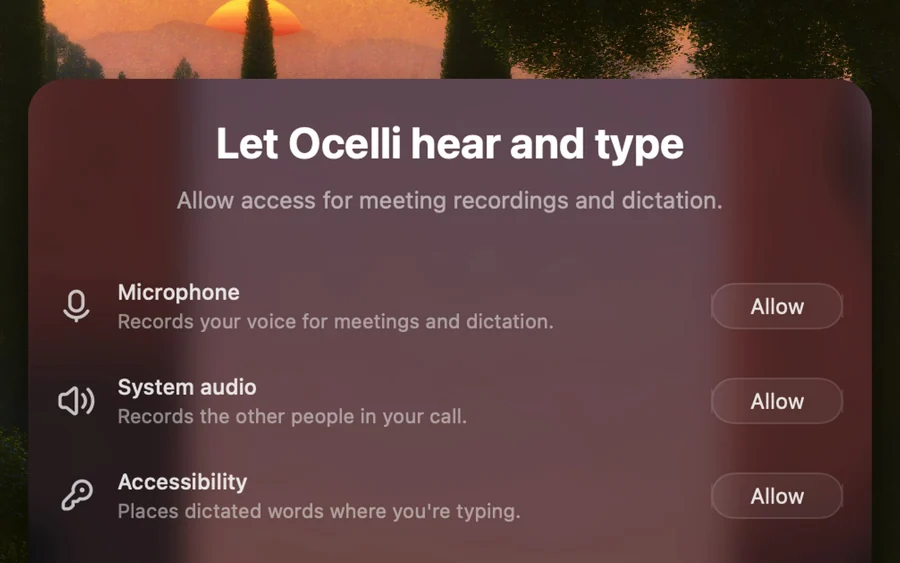
Your words appear as text in any app, even offline.
-
Your audio stays on your Mac.
Transcription runs on your Mac. Audio is never uploaded.
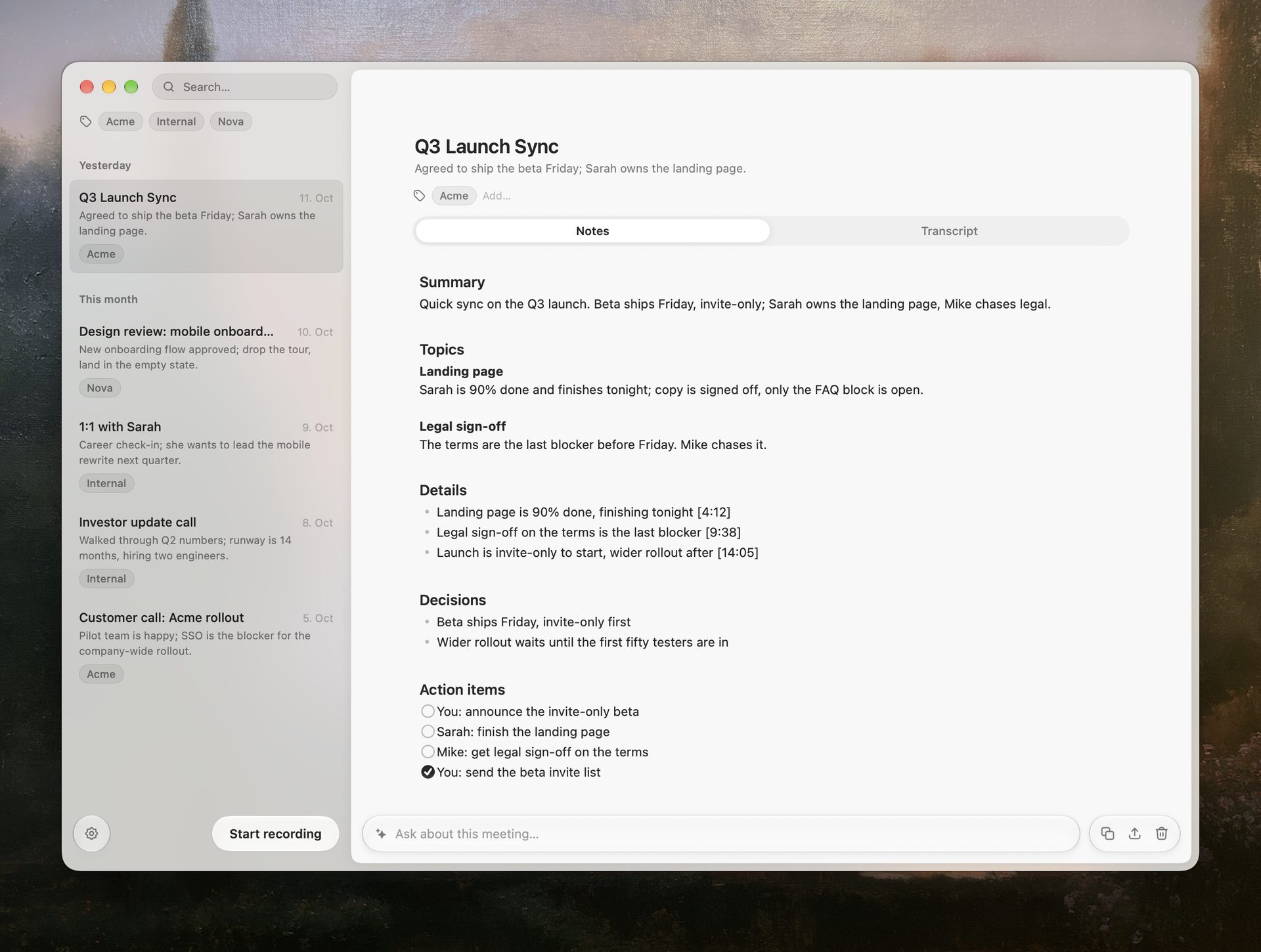
Notes you will actually read.
Decisions and action items on top, the full transcript one click away.
Recording sits in your notch.
Start and stop it from the notch, or from the top of the screen on Macs without one. When you stop, the note is saved to your folder.
Say it, and it is typed where your cursor is.
The same transcription that records your meetings also takes dictation. Hold fn or another shortcut, talk, let go. The text appears in any app, with punctuation.
Move Thursday to 3 and send Sam the deck.
On my way, there in ten.
Ask Sam for the deck before Thursday.
Standup moved to two, room three.
git commit -m "tighten the export path"

What leaves your Mac, and what doesn’t.
Your audio never leaves your Mac, and neither does dictation. The AI that writes your notes gets the transcript text and the questions you ask. With Ollama, that stays on your Mac too.
See exactly what is sent, and when, in Legal and privacy.
Let your agent read the live transcript.
Turn on live access and Claude Code, Codex, Cursor or any MCP client can read the call while it runs. It is off until you turn it on.
Below: four examples of an AI tool using Ocelli, starting with one that edits a landing page while the call runs.
Follow the call in Ocelli and keep fontealta.it in sync with what we decide.
Read the live transcript in Ocelli
Edited index.html +2 −2
The call set the autumn dates for Friday, so I turned the homepage into the autumn launch.
Booking by requestAutumn dates open Friday
A working estate in the Val d’Orcia. One long table, and the harvest starts in October.
Two nights minimum. Breakfast from the farm.Dates go live Friday, 09:00 CET.
harvest lunch, one long table
First full house since June.
Booking by requestAutumn dates open Friday
A working estate in the Val d’Orcia. One long table, and the harvest starts in October.
Two nights minimum. Breakfast from the farm.Dates go live Friday, 09:00 CET.
harvest lunch, one long table
First full house since June.
Prep me for my 2pm with Maya from my calls in Ocelli.
Searched your meetings in Ocelli 2 calls
Here is where you left off with Fonte Alta:
- Price stays at 189 per night.
- Autumn dates open Friday, the list first.
- Still open: her new photos, due Tuesday.
Draft the follow-up to Maya from today’s call in Ocelli.
Read today’s call in Ocelli
Here is a draft. Nothing is sent until you send it.
Hi Maya, here is what we agreed today:
- Autumn dates open Friday.
- Price stays at 189 per night.
- You send the photos by Tuesday.
What did Maya say about the autumn dates? Check Ocelli.
Searched your meetings in Ocelli 1 match
In the kickoff call on Sep 21 she said:
“Let’s open the autumn dates on Friday, not Monday.”
- Claude Code
- Codex
- Cursor
- Any MCP client
Ocelli ships an MCP server, so any client that speaks MCP can read your meetings.
It works wherever the meeting is.
Zoom, Meet, Teams, Slack or FaceTime.
If your Mac can hear the call, it is in the transcript.



One app, two ways to run it.
Buy it once and bring your own AI, or choose Ocelli AI for 8 € a month. Recording and transcription always run on your Mac.
Easiest setup
We run the model
Ocelli AI included. No API key needed.
8 €/month
- Ready in minutes
- Model usage included
- No API key required
- Every update included
Buy later. Switch to the 75 € licence any time.
Cancel anytime.
Full control
You choose the model
Own Ocelli outright and connect it your way.
75 €one-time
- Use Ollama or your own API key
- Run fully local with Ollama
- No subscription to Ocelli
- Every update included
Model costs are yours: run it locally with Ollama (the model we suggest is about 2 GB and fits 8 GB of memory) or bring your own API key and pay the provider directly.
One-time payment. Yours forever.
Tax is included in the price.

On-device transcription, measured against the cloud.
Six real meetings, scored against transcripts corrected by hand, next to the transcribers the cloud tools use. How the run was scored, and what it does not cover, is on the benchmarks page.
Word error rate
lower is betterOne hour of audio, time to transcript
lower is betterAn hour of audio from six real meetings, scored against a reference transcript we settled by hand. Measured in August 2026 on an M4 Pro. The cloud figure is a round trip and not a processing time: uploading the audio, the service transcribing it, and the transcript coming back. See the methodology.
How this was measured
An hour of audio from six real meetings, scored against a reference transcript we settled by hand. Measured in August 2026 on an M4 Pro. The cloud figure is a round trip and not a processing time: uploading the audio, the service transcribing it, and the transcript coming back. See the methodology.
The things people ask first.
Where do my meeting notes end up?
In a folder you choose, on your own Mac, as Markdown. Put that folder in Git, open it in Obsidian, sync it, move it. Nothing expires.
Is there a trial?
Your first ten meetings are free, and dictation is free for seven days after you set it up. The two trials run independently, and after each one that side needs a paid plan.
What happens after my ten free meetings?
Everything you already recorded stays where it is. Opening, searching and exporting keep working. New recordings, and dictation once its seven days are up, need a paid plan.
What happens if I stop paying?
Stop paying the 8 € and Ocelli stops recording new meetings and stops dictating into your apps, but everything you already recorded stays yours and readable, and the 75 € purchase never stops. Ocelli AI is part of the subscription, so writing new notes then needs your own API key or Ollama.
How many Macs can I use it on?
The licence is per person, not per machine. Use Ocelli on every Mac that is yours.
What does buying it once include?
Every update to the app, for good. If we ever build a successor so big it costs money again, that will be a new purchase with a discount for owners, and the version you bought keeps working either way.
Is there an iPhone or Apple Watch app?
Not yet. Ocelli is a Mac app; iPhone and Apple Watch apps are on the list but not available yet. Meetings happen on phones and in rooms too, and your notes should end up in the same folder either way.
Is there a Windows version?
Not yet. If enough of you ask for one, it will get built. macOS came first.
Can my AI agent read my meetings?
Yes. Ocelli ships an MCP server, which is the standard way an AI tool asks another app for data, and it works with Claude Code, Codex and any other MCP client. Live access is off until you turn it on.
Which languages does it transcribe?
Meetings: about 99, auto-detected, on your Mac. Dictation: the same model, in the languages your Mac is set to, detected as you talk.
Does it know who said what?
While you are recording, the live transcript is one run of text. When the meeting stops, Ocelli separates the speakers on your Mac and labels every turn in the saved transcript, taking names from the calendar invite where it can tell who is who.
Does it work offline?
Transcription does. A working speech model ships inside the download, and a larger, more accurate one is fetched once on first run. After that it runs on your Mac with no connection. Writing the note needs whichever AI you picked, so that step goes online unless you point Ocelli at a local model with Ollama, which makes the whole thing offline.
Does Ocelli replace my dictation app?
It works the same way: hold a key, speak, the text is typed wherever your cursor is. fn by default, or right ⌘, right ⌥, F13 or F5 if you prefer. Hold to talk, or double tap to latch for longer text. It runs on your Mac, it is free for seven days after setup, and after that it is part of the paid plan.
Does dictation work offline?
Yes. The speech model runs on your Mac, so once it is installed, dictation needs no wifi. It is one model of about 1.5 GB, the same one your meetings are transcribed with, and it understands about 99 languages, picked out of what you say.
What exactly gets sent to Ocelli AI?
Transcript text, once per note, plus any question you ask. Never the audio. With your own key it goes to that provider instead, and with a local model it goes nowhere.
Do I need to tell people I record?
Ocelli does not announce itself, so nobody in the call is told. Whether you have to say it depends on where you and the others are, and that call is yours to make, not ours.